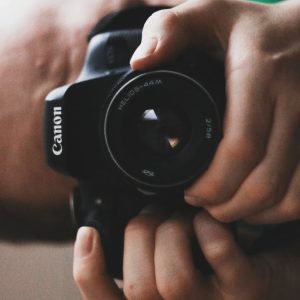
16 October 2017:
Took photos of the “Yellow Sky” (UK weather phenomenon):
f/3.5, 1/160s, ISO 800.
WB: Cloudy/Shade.
24 October 2017: Using Canon Companion app
Accurate Colours/White Balance (Beginner, exercise) – indoors, television, 8.30pm (yellow Tungsten lights).
P mode (P. AE)- used ‘wrong’ WB’s to create warmer, cooler & natural-looking photos.
P mode (P. AE) – restrictive. AE = Auto Exposure.
Subject Standout: (Aperture – Av mode)
Taking photos of a bottle of water, on coffee table, with TV as background.
f/5.6 photos – television cabinet blurred; bottle crisp & sharp. Short shutter.
f/32 photos – everything in focus. However, shutter speed was slower with f/16 – f/32 photos, meaning camera shake was more noticeable. In future, a tripod will be needed. Photos also seemed over-exposed (due to Auto ISO). A lower ISO would’ve solved this – so MANUAL mode would’ve been better for a photo with landscapes in mind.
Canon Companion app tells me:
“with a large aperture lens, e.g. EF 50mm f/1.8 II, Aperture effect would be even more pronounced.”
In other words, a specialist one-purpose lens would’ve been better than an all-purpose, jack-of-all-trades 18-55mm kit lens.
So: Av mode perfect for Portraits/bokeh, but not for landscapes.
Canon 750D Basic Manual – page 113, Chapter 5 – Advanced Operations, for reference! (Av, Tv, P, M)


